

When you come across an HTTP error code, like a request timeout, it’s not just annoying. It shows a break in the talk between your device and the web. The well-known 408 error pops up in online activities if the communication falters. Knowing how it works is key to keeping our online world smooth.
Our talk will give you great insights. You’ll learn from solid sources like the IANA Official HTTP Status Code Registry. Also from MDN Web Docs and the shared knowledge on Stack Overflow. Get ready for a journey through request timeouts, the reasons for a 408 error, and how to fix them. We will clear up this HTTP error code and make your web time peaceful again.
Key Takeaways
- Understanding the 408 HTTP error code is essential for a smooth browsing experience.
- Learning to resolve a 408 error can prevent future interruptions in web server communication.
- Anticipate in-depth explanations of request timeouts and why they occur.
- Use actionable strategies to diagnose and troubleshoot this frustrating HTTP hiccup.
- Benefit from expert insights on enhancing client-server interactions to avoid this common pitfall.
What is an HTTP Request Timeout Error?
Sometimes, when browsing the web, pages don’t load due to delays. This could mean you’re facing an HTTP request timeout error, shown as status code 408. It is a 4xx client error, pointing to a problem with the request sent. By understanding HTTP status codes and how to handle troubleshooting HTTP request timeout issues, web surfing becomes smoother.
The Basics of HTTP Errors
When you make a request, servers respond with HTTP status codes. These codes show if there was a request issue through five classes. 4xx codes indicate errors made by the client. For instance, it might be a timeout request or even a wrong URL input.
How Does a Code 408 Error Occur?
If your request to the server is too slow, you might get a 408 Request Timeout. Basically, if the server doesn’t get your full request within a set time, it stops waiting. It sends back a 408 error instead. Slow internet, network congestion, or server issues can cause this.
Differences Between 408 and Other 4xx Errors
Unlike other 4xx errors, a 408 deals specifically with request timeouts. In contrast, a 404 Not Found error means the server can’t find what was requested. A 401 Unauthorized signals a need for proper authentication credentials. See the table for a quick comparison:
| Error Code | Description | Common Causes |
|---|---|---|
| 408 Request Timeout | The server timed out waiting for the request. | Slow client connection, server overload. |
| 404 Not Found | The requested resource was not found on this server. | Incorrect URL, the resource has been removed. |
| 401 Unauthorized | Authentication is required and has failed or not yet been provided. | Missing/invalid credentials, authentication errors. |
Common Causes of a Code 408 Error
When you see a Code 408 error, it means something went wrong on the web. Getting to the bottom of this can help fix the problem and stop it from happening again.
Server Overload and Slow Processing
A big reason for the Code 408 error is when the server takes too long. This happens if the server gets too many requests and can’t keep up. When too many people visit a site, the server might not respond quickly enough.
Experts recommend watching your server’s performance closely. They also suggest increasing resources when there’s a lot of traffic. This helps the server manage the load and avoid timing out.
Network Delays and Connectivity Issues
Network problems can also lead to a Code 408 error. If your internet connection is weak or slow, it might take too long for your device to talk to the website. There are guides that show how to make your network run better. They talk about changing your network’s setup and improving the system that supports it.
This next part shows how both server issues and network problems can cause Code 408 errors:
| Factor | Definition | Impact on HTTP 408 |
|---|---|---|
| Server Timeout | Occurs when the server is too busy or slow to respond to a request in a timely manner. | Direct cause of Code 408 if the server cannot process requests fast enough due to high load. |
| Network Latency | Refers to delays in transmitting data over the network. | Contributes to Code 408 by delaying the delivery of HTTP requests and responses. |

Knowing how server issues and network problems work together helps us fix Code 408 errors. By tackling these main problems, we can make our systems respond faster. This means we’ll run into fewer errors when asking for something on the web.
Navigating the Protocol: How HTTP Works
The basics of web talking are vital. HTTP stands for Hypertext Transfer Protocol. It’s a key part of the web’s talk system. Let’s look into how it sends info fast across the web.
The Client-Server Model Explained
In the web’s give-and-take, HTTP is key. Your web browser asks a server for stuff. The server, usually a website, answers these asks. This back-and-forth lets you see and do things online.
Understanding HTTP Request-Response Cycle
The ask-answer part of HTTP is crucial. It starts when you type in a website address. The server looks at your ask, then sends back a webpage, picture, or an error note if there’s a hitch.
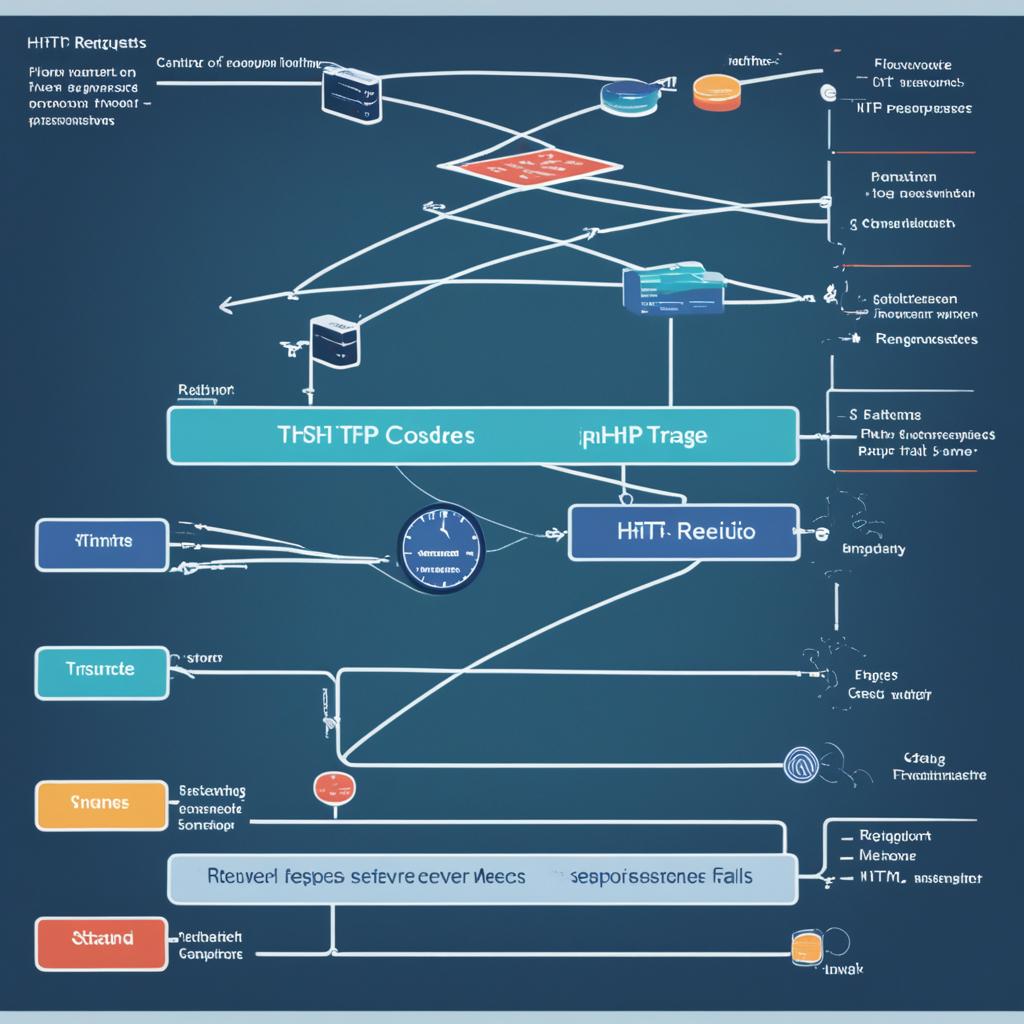
- Step 1: You put in a website address or click in an app, which sends an HTTP ask.
- Step 2: The server gets this ask and looks at it.
- Step 3: The server grabs info or does what’s needed for your ask.
- Step 4: It sends a reply back to you, finishing the talk.
This back-and-forth keeps websites working smooth. It shows why each part needs to work fast to avoid hitches like a 408 error.
| Component | Role in HTTP Cycle | Impact on User Experience |
|---|---|---|
| Client | Initiates request | Controls request timing and integrity |
| Server | Processes and responds | Response speed and accuracy affects satisfaction |
| HTTP Protocol | Guidelines for communication | Ensures standardized interactions for reliability |
Knowing these parts, you see why good HTTP talk is key. It keeps web chats smooth and stops HTTP errors.
Diagnosing Code 408 Timeout Errors
Seeing a 408 Request Timeout error means you need to act fast. Check if the problem is on your side or the server’s. Knowing how to fix these issues can get things back to normal quickly.

To find the error’s cause, follow a step-by-step plan. Look at the network, server settings, and logs. Here’s how you can start solving these common issues.
- Check server logs: Server logs show when and how often these errors happen. They help find patterns or problems, like server overloads or setup mistakes.
- Network diagnostics: Network tools can find connection problems or delays. These might be causing the timeouts.
- Client-side checks: Make sure the issue isn’t due to a bad internet connection on your end. Run speed tests and check your browser’s setup.
For more help with HTTP 408 errors, here’s a guide to common tools and methods.
| Tool/Method | Utility | Best Used For |
|---|---|---|
| Network Diagnostics Tools | Examining the path data takes between client and server | Pinning down connectivity and speed issues |
| Server Log Analysis | Tracking request handling and server responses | Identifying server-side misconfigurations and overloads |
| Browser Configurations Review | Ensuring optimal client-side settings | Client-side troubleshooting to prevent unnecessary timeouts |
Using these tools and methods, you can better handle timeouts. This makes your site more reliable and improves the user experience. Getting the error identification right helps stop HTTP 408 errors from happening again. This keeps your service smooth and uninterrupted.
Resolving Code 408 Errors on Your Browser
A 408 error can be annoying, but with these steps, fixing it is straightforward. We’ll show you how to fix a 408 error, boost your internet, and use browser solutions to stay connected smoothly.
Refresh and Retry: First Steps to Fix the Error
Seeing a 408 error? Just refresh the webpage first. This sends a new request to the server and might fix the issue. If that doesn’t work, close and reopen your browser, then visit the site again. These easy steps often solve temporary problems or short server timeouts.
Checking Internet Connection Stability
To make your internet more stable, check your Wi-Fi’s strength and steadiness. If it’s not stable or strong, reset your router or get closer for a better signal. Also, consider using a wired connection for a faster and more reliable internet, which helps avoid 408 errors.
Browser Troubleshooting Tips
Browser settings and added extensions might mess with web requests. To get your browser running smoothly, clear its cache and cookies often. This gets rid of old or too much stored data that slows things down. Turn off any browser extensions you don’t need that might change request headers. Always keep your browser updated. If problems keep happening, reinstalling your browser might fix hidden issues causing 408 errors.
| Action | Purpose | Expected Outcome |
|---|---|---|
| Refresh the webpage | Send a new request to the server | Potentially fixes temporary server or connectivity issues |
| Check Wi-Fi stability | Ensure consistent signal strength | Reduces instances of 408 errors due to unstable internet |
| Clear browser cache and cookies | Remove corrupt or excessive stored data | Enhances browser speed and efficiency |
| Disable unnecessary extensions | Prevent potential interference with web requests | Minimizes browser-related issues affecting web loading |
| Switch to a wired connection | Offers a more stable and faster internet connection | Improves internet stability and reduces timeout errors |
For Web Developers: Preventing Code 408 on Your Site
As a web developer, making sure your websites run smoothly is key. You can avoid HTTP 408 errors by optimizing your server, writing efficient code, and using caching. These steps improve site speed and make users happy by preventing annoying timeout errors.
Optimizing Server Performance
To make your web server better, consider boosting your resources or tweaking server settings. This might mean getting better hardware, improving your network, or updating server software. When your server is optimized, it handles requests fast and keeps delays to a minimum.
Best Practices for Efficient Code
Writing neat code is crucial for a fast website. Make sure your scripts and backend operations don’t waste resources. Aim for simplicity in your code. Cut out unnecessary functions, fine-tune your algorithms, and use asynchronous operations when you can.
Utilizing Caching Strategies
Caching makes your website faster. Storing file copies or database queries speeds up access and lowers server strain. This helps avoid 408 errors. Use browser caching, server-side caching, or content delivery networks (CDNs) to boost response times.
Putting these methods to work reduces timeouts and makes visiting your site a better experience. Here’s a table showing different caching methods and how well they work:
| Caching Technique | Type | Effectiveness |
|---|---|---|
| Browser Caching | Client-Side | High |
| Server-Side Caching | Server-Side | Medium to High |
| Content Delivery Network (CDN) | Network-Based | Very High |

Code 408 Errors in Web Services and APIs
When working with web services, especially RESTful APIs, it’s essential to know how to handle HTTP 408 errors. These timeouts are common REST API errors. They can greatly affect the reliability of your web services if not managed correctly.
The Impact on RESTful Services
The dreaded HTTP 408 error means that a web service has timed out. It usually happens when the server takes too long to respond to a request. This not only interrupts service but can make users unhappy, leading to less user engagement.
Handling HTTP Timeouts in API Design
Dealing with HTTP 408 errors means having good error handling in place. This keeps data flowing smoothly. Here are some ways to lessen these issues:
- Set Reasonable Timeout Thresholds: Choose timeout settings that can handle usual delays. Yet, they should prevent long waits.
- Error Messaging: Use user-friendly error messages. They should tell users about the timeout and what to do next.
- Retry Logic: Include automatic retries for requests that fail because of small network or server problems.
With these steps, you can make your APIs more reliable. You can also improve the quality of your service.
| Error Type | Common Causes | Preventive Measures |
|---|---|---|
| HTTP 408: Request Timeout | Server overload or network connectivity issues | Set strategic timeout thresholds and retry logic |
| 400 Bad Request | Incomplete or malformed request syntax | Validate requests before submission |
| 504 Gateway Timeout | Communication issues between servers | Monitor server communication paths and response times |
Knowing about these common REST API errors and protecting your APIs against them is key for smooth web services.
Analytics and Monitoring for HTTP Errors
Managing HTTP errors like 408 timeouts is key for a smooth website. Analytics and monitoring tools let you spot and fix issues early. They help improve how users experience your site. It’s smart to learn how to watch for HTTP errors. We’ll look at ways to monitor them and how server logs offer deep insights.
Tools to Track and Analyze Errors
There are great tools for keeping an eye on HTTP errors. They track your site’s performance and response to errors. Using these tools regularly helps find chances to make your site more reliable. It’s about making your website faster and more reliable by understanding the data.
Reading Server Logs for Insights
Looking at server logs is smart for figuring out HTTP errors. They show what happens on your server, step by step. This makes it easy to see why errors, like 408 timeouts, happen. By studying logs, you can see patterns and make changes to stop errors before they start.
Here are some key things logs can show you:
| HTTP Error Code | Frequency | Common Causes |
|---|---|---|
| 408 Request Timeout | High under heavy load | Server overload, slow client response |
| 500 Internal Server Error | Medium | Configuration issues, script failures |
| 404 Not Found | High | Broken links, moved content |

Using smart analytics and monitoring plans helps keep your website running well. The aim is to prevent HTTP errors, not just fix them. By being proactive, you can protect your users’ experience.
Code 408 and User Experience
Understanding HTTP errors like Code 408 is key for a great digital experience. These errors can make your site less inviting, leading to lower engagement. Providing a smooth online journey helps in keeping users happy and engaged.
How Timeout Errors Affect Visitor Engagement
Timeout errors, such as HTTP 408, are a big frustration for users. They make the online experience less enjoyable, which might cause users to leave. To keep users happy, it’s important to quickly fix these errors.
Communicating Errors to Users Effectively
Telling users about errors the right way is crucial. When a 408 error pops up, the way you inform users matters a lot. Good, clear messages can lessen user frustration and show them what to do next.
Here’s a table showing good vs. bad ways to talk about errors:
| Scenario | Effective Communication | Ineffective Communication |
|---|---|---|
| HTTP 408 Error | “We’re currently experiencing delays. Please try refreshing your browser or check back shortly!” | “Error 408: Request Timeout” |
| User Action Suggested | “Click here to retry or visit our support page for more help.” | No action suggested |
Improving how you talk about errors can greatly make the user experience better. Even in tough times, this can keep users coming back.

Is Your Hosting Service to Blame for Code 408?
Sometimes, the reason behind HTTP request timeout errors, or code 408, can be your hosting service. It’s important for you to know how the hosting service you choose affects your site. Especially, how it deals with hosting-related timeouts.
Your hosting service’s details can greatly influence timeout issues. This includes server quality, network speed, and customer support. Here are key factors to consider about your hosting provider to avoid downtime and 408 timeouts.
- Performance metrics of the server – Uptime guarantees and server response times are critical.
- Quality of customer support – Access to responsive, knowledgeable support can resolve issues faster.
- Server location – Proximity of servers to your primary user base can reduce latency.
- Scalability options – Ability to handle increased traffic without affecting performance is crucial.
Experiencing regular hosting-related timeouts may mean it’s time to rethink your hosting plan or provider. This comparison will help guide you in picking a hosting service. One that improves site performance and lowers the chance of a code 408 error.
| Feature | Essential for Avoiding Code 408 | Common Misconceptions |
|---|---|---|
| Uptime Guarantee | 99.9% or better | Any downtime is negligible |
| Server Response Time | <200 ms | Below average is sufficient |
| Customer Support | 24/7 with technical expertise | Business hours support is adequate |
| Server Location Proximity | <30 ms ping from user to server | Server location does not impact performance |
| Scalability | Easy upgrades and scalability solutions | Scaling is rarely necessary |

By picking a hosting service focused on reducing timeouts and speeding up server response, you can cut down on HTTP 408 errors. Being proactive boosts your site’s performance. This makes visitors happy and more likely to return.
The Role of DNS Settings in HTTP Request Timeout
A 408 error often means a HTTP request timeout. This error points to DNS (Domain Name System) settings issues. Correct DNS settings can cut down on HTTP errors. These errors slow your connection or cause timeouts.
Understanding DNS Lookup Process
DNS lookup changes website names into IP addresses. Every time you visit a site, your device does this job. If there’s a delay or mistake, you might see slower loading times or a 408 error.
Issues with DNS Configuration and How to Fix Them
Wrong DNS settings cause errors. Right settings make your website’s search quick and smooth.
- Verify your DNS server addresses: Making sure your DNS server addresses are correct is key.
- Increase DNS cache size: A bigger cache means storing more info. This makes visiting your favorite sites faster.
- Regular updates: Update your DNS server and software for better performance and security.
We’ll now look more into DNS mistakes and HTTP timeouts.
| DNS Issue | Potential Impact on HTTP Requests | Recommended Action |
|---|---|---|
| Slow DNS Resolution | Increased loading times, risking a 408 timeout error | Opt for a more reliable DNS provider |
| Incorrect DNS Settings | Failed DNS lookups lead to website inaccessibility | Conduct regular reviews and audits of DNS configurations |
| DNS Cache Poisoning | Redirects to malicious sites, adding to latency and errors | Implement security measures such as DNSSEC |

Knowing about DNS lookup and settings helps avoid HTTP errors. For web developers or regular users, tweaking DNS can stop 408 errors. This keeps your browsing smooth and efficient.
Advanced Troubleshooting Techniques for 408 Errors
Running into HTTP 408 errors can be a bother. However, using advanced troubleshooting techniques can help. You will find network diagnostics and server-side optimization essential. They help make your website more responsive and dependable.
Network Diagnostic Tools for Detecting Issues
Network diagnostics are key in troubleshooting. These tools help you find and understand network problems that cause HTTP 408 errors. By studying network traffic and finding bottlenecks, you improve data flow. This reduces delays.
Network diagnostic software tackles both symptoms and root causes of slow networks. This ensures you’re fixing the real issues, not just the signs.
Server-Side Scripting Adjustments
Optimizing your server can cut down on HTTP 408 errors. This means tweaking scripts and settings to speed up responses. You might improve database queries or cut down on heavy processes. Also, efficient caching helps your server meet timeout limits, boosting performance.
Using server monitoring tools gives insights into performance. This means you can fix issues fast, avoiding HTTP 408 errors. This keeps your site running smoothly.
- Utilize network monitoring tools to keep track of data flow and spot potential issues quickly.
- Regularly update and optimize server-side scripts to ensure efficient processing of requests.
- Engage in continuous server performance analysis to stay ahead of potential timeouts and errors.

The Future of HTTP and Error Code Management
The digital world is always changing, and so are the technologies that support the web. Moving from HTTP/1 to HTTP/2 and HTTP/3 is a big deal. It’s shaping how we handle web errors in the future. For webmasters and developers, it’s vital to grasp these changes. They aim to boost web performance and deal better with HTTP errors, like timeout issues.
Trends in Error Handling
Web development is moving towards better error management systems. HTTP protocol upgrades are leading this shift. The focus is on handling errors like the 408 timeout more smoothly. The aim is to solve and even prevent errors before they happen.
HTTP/2, HTTP/3, and Timeout Errors
The launch of HTTP/2 and HTTP/3 has started a new chapter in internet data transfer. This affects how we handle timeout errors. These new protocols are designed to make connections between clients and servers more efficient. This could make HTTP timeout errors less common.
For example, HTTP/2’s multiplexing feature lets many requests and responses happen over one connection. This greatly speeds up and makes data transfers more reliable.

As more people start using these protocols, we expect better management of network requests. This should also reduce errors linked to bad connection management, like the HTTP 408 error. This means better loading of resources and a smoother online experience by reducing timeout disruptions.
The progress in HTTP technologies is crucial as it prepares us for future error management improvements. If you work in web development or management, it’s essential to keep up with these changes. It helps you get ready for new ways of dealing with web errors. This ensures your websites stay efficient, user-friendly, and in line with the latest web standards.
Conclusion
We’ve learned a lot about fixing 408 errors. These steps are key to making websites run better and without interruptions. We’ve covered why HTTP request timeouts happen. We’ve also shown how to solve them. This keeps online browsing smooth for everyone.
By understanding the common causes of a 408 Request Timeout error, you now know how to find and fix them. This knowledge lets you dive deep into how the internet works. With these new skills, you can boost your website’s performance. This will keep it running smoothly.
Websites change, and so do error codes and what users expect. Staying updated on the latest tech tips keeps you ahead. Sharing your knowledge on handling web timeouts helps the community. Together, we can make the web a better place for all.
Leave a Reply
You must be logged in to post a comment.