

Are you ready to create a digital space for your brand? A good website matters, but so does how you host it. This guide will help you build a strong online presence. It covers web hosting best practices. These tips are perfect for enterprising individuals or growing startups.
Think of your website as an online shopfront. Like physical stores, your digital site needs a strong base. You need to know your hosting needs and pick the right provider. Ensuring your site is always reachable, secure, and ready for visitors is key. Always choose a host with great support, flexible plans, and room for growth.
Key Takeaways
- Identify your hosting needs to tailor your website’s foundation.
- Select a hosting provider that aligns with those needs, ensuring reliability and support.
- Maintain optimal uptime to keep your site open for business at all times.
- Incorporate robust security measures to protect your online presence.
- Choose a hosting plan that accommodates current and future traffic levels.
- Ensure customer support is available when you need it most.
Understanding Hosting Needs
Starting with a strong base is key when boosting your online presence. You must assess your hosting needs well. This makes sure your site meets today’s demands and grows smoothly. Let’s look at evaluating your needs and planning for growth.

Evaluating Your Website’s Requirements
Determining your site’s needs means considering key factors. Think about your content, like high-res images or videos, which need more storage and bandwidth. Also, think about how much traffic you expect, as it affects your hosting capacity.
Anticipating Future Growth
Growth is vital to plan for in hosting. As your business expands, so will your site’s traffic and resource needs. Opting for scalable hosting solutions is smart. This means you can easily move to bigger plans or add more resources as needed.
| Feature | Current Needs | Future Growth |
|---|---|---|
| Storage | 50 GB | 200 GB+ |
| Bandwidth | 800 GB/month | 4 TB/month |
| Security | Standard SSL | Advanced SSL, DDoS Protection |
| Support | Email Support | 24/7 Phone and Live Chat Support |
Planning well for now and later ensures your website thrives. Doing this means your online site can handle more people and more complex tasks. Keeping your site strong and fast helps as it grows.
Choosing the Right Hosting Provider
When picking a hosting provider for your online space, it’s a big choice. It affects how well and reliably your website runs. It’s all about knowing what you need and weighing different hosting plans to pick wisely.
Criteria for Selecting a Web Host
Finding the best hosting provider means understanding key factors. You’ll need to think about uptime, the quality of support, how well it can grow with you, and security. Pick a provider that fits what your business needs and expects in terms of visitors.
Comparing Hosting Packages
Different hosting plans meet different needs, from simple blogs to busy online shops. When you compare hosting plans, you’re looking for the best deal and ensuring it meets your site’s growing needs.

| Hosting Provider | Package Type | Cost per Month | Uptime Guarantee | 24/7 Support | Additional Features |
|---|---|---|---|---|---|
| BlueHost | Shared | $3.95 | 99.99% | Yes | Free Domain for 1 Year |
| HostGator | Cloud | $8.95 | 99.99% | Yes | Free SSL Certificate |
| DreamHost | VPS | $10.00 | 100% | Yes | Unlimited Bandwidth |
By weighing these options against your needs and future site size, you’ll make a smart hosting choice. This will save you money and hassle as your site grows.
The Importance of Uptime for Hosting
Understanding how crucial website uptime is in web hosting is key. Good uptime means your site is always open for visitors, which improves your hosting reliability. It also boosts user experience and SEO.
In choosing a hosting service, look at server availability and uptime history. High availability leads to happier visitors, less bounce, and better SEO. Here’s why:
- Every second down is a missed chance for connections, sales, or chats.
- Steady uptime builds trust, making your site a go-to spot.
- Search engines favor always-available sites, seeing them as trustworthy and important.
Using tools to check your site’s uptime is smart. They give alerts and data in real-time. This helps you fix issues quickly, keeping your site smooth and visitor-friendly.

| Uptime Percentage | Equivalent Downtime Per Year |
|---|---|
| 99% | 3.65 days |
| 99.9% | 8.76 hours |
| 99.99% | 52.56 minutes |
| 99.999% | 5.26 minutes |
Small differences in uptime can mean a lot over a year. Aiming for 99.99% uptime is key to your online success.
Valuing hosting reliability with top uptime rates is vital. It’s a big advantage in the digital world today.
Investing in Reliable Customer Support
Choosing the right hosting service is more than just looking at specs and price. It’s about strong customer support. When your site has issues, quick and helpful support matters. Good customer support is key to a great hosting experience.
Types of Support Channels
Web hosts today offer many ways to help their clients. Let’s look at some common support channels:
- Live Chat: Allows for instant communication and quick fixes.
- Email Support: Useful for detailed, non-urgent issues requiring thorough explanations.
- Phone Support: Provides a personal touch and is preferred for complex discussions.
- Knowledge Base: A self-serve online library of FAQs, articles, and guides.
- Forums: Community-driven help where users can share advice and solutions.
Having different support channels means you can get help how and when you need it.
Importance of 24/7 Hosting Support
The web is always on, so your site’s support should be too. 24/7 hosting support protects your site from unexpected issues. This is vital for sales or viewers from around the globe.

Being able to get help anytime improves customer happiness and loyalty.
| Feature | Availability | Benefit |
|---|---|---|
| Live Chat | 24/7 | Instant response and problem resolution |
| 24/7 | Detailed, documented communications | |
| Phone | Limited hours | Personalized, in-depth support |
| Knowledge Base | Always available | Self-service for common issues |
| Forums | Always available | Peer-to-peer assistance |
For smooth online operations, pick a host with various support channels, focusing on 24/7 availability no matter where you are.
Hosting Plans: Shared vs. VPS vs. Dedicated
There are different hosting solutions for websites. It’s crucial to know the features of shared, VPS, and dedicated servers. Each one has unique capabilities for different needs, from small blogs to big websites.
Understanding Shared Hosting
Shared hosting is the cheapest way where many websites use one server. It’s perfect for newbies and small businesses because it’s affordable and simple. But, if one website gets a lot of traffic, it might slow down the others.
Differences Between VPS and Dedicated Hosting
VPS hosting lets you share a server but you get your own part of it. It’s a balance between shared and dedicated servers, offering more control without costing too much.
Dedicated servers give the most resources and speed. They’re great for big sites or online stores with lots of visitors. This choice has the most control but costs the most and needs tech skills to run.
Knowing the key differences helps you pick the right hosting. Your choice should be based on what you need, how much you can spend, and your tech knowledge.

| Feature | Shared Hosting | VPS Hosting | Dedicated Servers |
|---|---|---|---|
| Cost | Low | Medium | High |
| Resource Allocation | Limited and Shared | Guaranteed Allocation | Complete Allocation |
| Performance | Basic | Good | Optimal |
| Scalability | Low | High | Very High |
| Suitable For | Small personal and business sites | Medium-sized businesses and growing sites | Large businesses and high-traffic sites |
Securing Your Website with HTTPS
Today, making your website secure is more important than ever. Cyber threats are always changing. This means using HTTPS encryption is not just a choice; it’s necessary. HTTPS, or Secure HyperText Transfer Protocol, keeps internet connections safe. It stops bad people from seeing private data.

By using SSL certificates, you protect your data and your users’ privacy. This makes your website safe for visitors. SSL certificates are small files that secure a key to your organization. They make sure the connection between a web server and a browser is safe. This keeps all data private and unchanged.
Now, let’s look at some good things about SSL certificates and HTTPS:
- They make your website safer by securing user data.
- They build trust with users, which might increase your business.
- They also help your website rank better on Google searches.
It’s also crucial to know how to get and use SSL certificates. You can pick from different types based on what you need and want for security. Here is a simple guide:
| Type of SSL Certificate | Key Features | Suitable for |
|---|---|---|
| Domain Validated Certificates (DV) | Basic encryption and verification of the owner’s legal existence is not required. | Personal websites or blogs with lower traffic. |
| Organization Validated Certificates (OV) | Strong encryption with additional vetting of the organization. | Business websites that handle customer data. |
| Extended Validation Certificates (EV) | High security and rigorous validation process. | E-commerce sites and large businesses requiring the highest level of security. |
Using HTTPS and SSL certificates isn’t just about encryption. It means you’re dedicated to keeping your website and customers safe. Start now to give your users a safer browsing experience!
How to Host the Website with Scalability in Mind
When your website grows, think about how it performs normally and under high traffic. Choosing the right scalable web hosting service helps manage these changes. This keeps the user experience positive, even as your site expands.
Scalable Hosting Options
Scalable web hosting services meet your website’s changing needs. This ensures stability as your site gets more visitors. Cloud solutions like AWS and DigitalOcean offer quick-to-adjust resources. They’re great for high traffic. Cloudflare and others also protect your site from attacks, which can increase with more visitors.
Planning for Traffic Spikes
Handling more site visitors smoothly is key. Plan for potential spikes to keep your site up. This keeps users happy and engaged. With scalable hosting and services that manage traffic well, high-traffic times go smoothly.

| Feature | Benefit |
|---|---|
| Automatic Resource Adjustment | Resources grow or shrink as needed, making high traffic easy to manage without you stepping in. |
| Pay-As-You-Go Pricing | You only pay for what you use, saving money on hosting sites with changing bandwidth needs. |
| Integrated Security Measures | Advanced security kicks in to protect your site during traffic surges and possible DDoS attacks. |
Optimizing Website Speed and Performance
Making sure your website loads fast and works well is key to its success. It makes users happy and helps your site rank better in search results. We’ll look at how using CDNs and caching can make your website faster and better.
Role of Content Delivery Networks
CDNs are crucial for making your website faster by spreading your content across the globe. This means a user gets data from the nearest server, which cuts down on wait times. CDNs not only boost speed but also cut costs on bandwidth and make sure your content is always available. Services like Cloudflare are famous for their effective CDNs, growing with your online needs.
Leveraging Caching for Faster Load Times
Caching is a great way to speed up your website. It saves copies of files for quicker access, making your site load faster. You can use browser and server-side caching to keep content ready, easing the burden on your server. This ramps up how fast your site responds. Tools like WP Rocket make adding caching simple, greatly improving speed.
Here’s a quick look at how CDNs and caching change your website’s loading time:
| Performance Feature | Without CDN and Caching | With CDN and Caching |
|---|---|---|
| Load Time | Slower due to centralized content delivery | Reduced significantly by local data delivery |
| Server Load | Higher, as all requests hit the main server | Lower, distributed across multiple network points |
| Data Redundancy | Low, potential for data loss | High, copies stored across various locations |
| Global Accessibility | Limited, affected by physical distance | Optimal, enhanced by geographical server presence |

Using CDNs and caching can really make a difference in your site’s load speed, efficiency, and security. Starting with these methods puts you on the path to a faster, more reliable website. It’s a strong base for more improvements and a better online presence.
Managing Hosting Resources and Bandwidth
Effective resource management is key to keeping your website running smoothly. It helps avoid extra costs from too much data transfer. By managing bandwidth allocation well, your site handles traffic spikes better. This ensures users have a good experience.

Understanding bandwidth allocation and resource management might seem hard. Here’s a simple guide to help you grasp the important stuff. Following it can make your website run better.
- Review your current data transfer limits often. This helps avoid unnecessary costs while meeting your site’s needs.
- Look into scaling your resources based on traffic. Reduce resources during quiet times to save money. Increase them when you expect more visitors.
- Choose a hosting plan or provider that allows flexible resource management. This way, you can adjust bandwidth allocation as needed, without hassle.
| Resource | Average Use | Optimal Use |
|---|---|---|
| Bandwidth | 50 GB/month | Adjust based on analytics |
| CPU Usage | 2.5 GHz | Varies based on load |
| Data Transfer | 100 GB/month | Upgrade if limit exceeds frequently |
Good resource management and wise bandwidth allocation cut costs. They also make your site work better and keep users happy. Start using these tips now. You’ll soon see your site’s performance and satisfaction levels rise.
Regular Backups: A Non-negotiable Hosting Feature
Making sure your website’s data is safe involves doing regular backups. This is very important to protect your site from losing data. Problems like hardware failure, cyberattacks, or human mistakes can cause this loss. It’s vital to know the differences between manual and automated backups. This knowledge will help you choose the best way to keep your data safe.
Manual vs. Automated Backup Solutions
Picking the right backup method is key to keeping your data safe. Manual backups cost less but take more time and effort. Automated backups, however, backup your data regularly without you having to do anything. Services like CodeGuard offer complete automated backup solutions. These can give you peace of mind and lower the chance of losing data.
Balancing Backup Frequency and Data Redundancy
How often should you backup your website? That depends on how often your site is updated and how much data you have. Sites with a lot of traffic might need backups daily or hourly. But, weekly backups might be enough for smaller sites. The aim is to find a good balance. You want to make sure you have several copies of your data stored safely.

Here’s a simple guide to help you pick your backup method based on what your website needs:
| Backup Type | Pros | Cons | Best for |
|---|---|---|---|
| Manual | Control over timing and storage | Time-consuming, higher risk of forgetting | Small websites, personal blogs |
| Automated | Regular and timely backups, less hassle | Can be costly, less control | Business websites, eCommerce platforms |
| Incremental | Efficient use of storage | Complex, requires setup | Large sites with frequent updates |
Remember, having effective backup solutions for your website is crucial. Whether you choose automated or manual, match your backup frequency to your needs. By reliably backing up your data, you protect your business. And you also protect your reputation and your users’ trust.
Decoding Hosting Control Panels
Hosting control panels do more than manage websites. They make the hosting process smoother. We’ll look at cPanel and Plesk, two top control panels. Let’s learn about the basics of hosting management.
cPanel and Plesk: Comparing Popular Options
cPanel and Plesk both offer strong hosting management tools. Yet, they suit different needs. cPanel is straightforward and loved for its ease of use. Plesk, meanwhile, offers a layout that can be changed as needed. It’s often chosen by Windows server users.
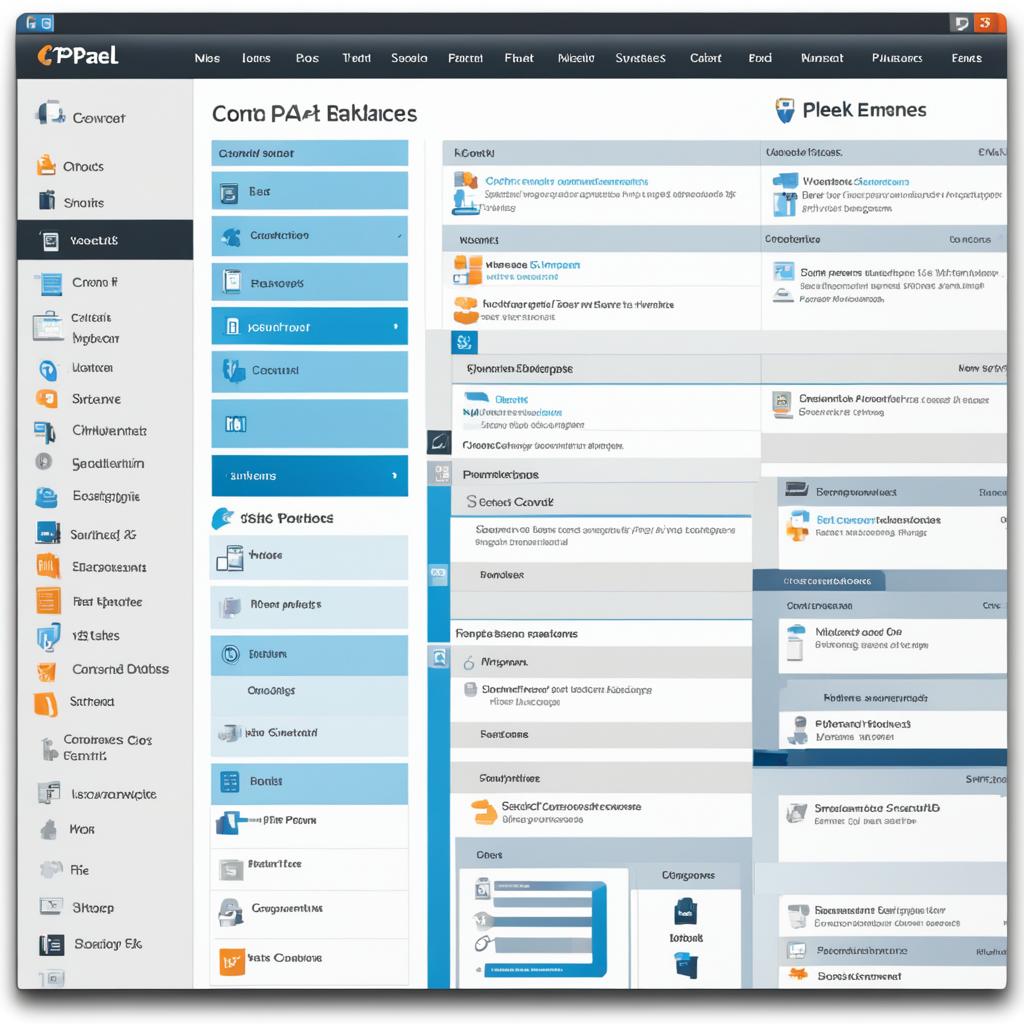
Mastering Control Panel Essentials
Choosing cPanel or Plesk means learning key features for hosting management. They help with file management, email, domains, and security. These are key for a strong online presence.
| Feature | cPanel | Plesk |
|---|---|---|
| User Interface | Graphical, intuitive | Graphical, customizable |
| OS Compatibility | Linux | Windows, Linux |
| Security | Auto SSL, IP Blocker | Fail2Ban, Firewall |
| Automation | Backups, Cron Jobs | Scheduled Tasks, Smart Updates |
| Database Management | phpMyAdmin | phpMyAdmin, myLittleAdmin |
By understanding these features, you can better manage your hosting. This lets you focus on your content rather than backend tasks.
Understanding Domain Names and DNS
Picking the right domain name is super important for your web identity. It’s key for your domain hosting and your online presence overall. A good domain name with smart DNS management can really lift up your hosting strategy.
The Role of Domain Name in Hosting
Your domain name is like your online welcome mat. It’s crucial for making a strong first impression. Great domain names boost your brand and help with search engine spots. This connects well with your domain hosting strategy.
Navigating DNS Settings and Records
Managing your DNS well is important to get traffic to your site the right way. Knowing about DNS settings and records helps make your domain hosting better. This makes sure people can get to your website quickly and reliably.

Here’s a basic guide to typical DNS records and what they do for domain hosting:
| Record Type | Description | Purpose in Domain Hosting |
|---|---|---|
| A (Address Record) | Connects a domain to a server’s IP address | Key for getting your domain’s traffic to the right server |
| MX (Mail Exchange) | Sends email to a mail server | Important for managing email for your domain |
| CNAME (Canonical Name) | Aliases one domain name to another | Good for linking subdomains with your main domain |
| TXT (Text Record) | Lets admins add text to the DNS record | Used for things like SPF and DKIM verification |
Good DNS management means people can reach your site with no holdups. By understanding and setting up these records right, you keep your website running smoothly and accessible.
Email Hosting: Professionalism and Branding
In today’s digital era, email hosting is key for your business’s professionalism and branding. With branded emails, you show a more professional image. This boosts your brand’s credibility with customers and partners. Let’s look into setting up these email solutions effectively.
Setting Up Branded Email Addresses
To create branded emails, you need to take a few steps. First, pick an email hosting provider that allows customization. This way, you can make email addresses that reflect your business name. Each email sent strengthens your brand’s presence.
Email Hosting Solutions for Small Businesses
Small businesses must find the right business email solutions. These should be reliable, secure, and able to grow with the business. Rackspace and Zoho Mail provide tailored email hosting services. For marketing needs, Mailchimp offers options that fit small and medium businesses well.

Branded emails are also key in your marketing strategy. They reinforce your business’s professional image with every outreach. Thus, investing in quality email hosting enhances your operations. It helps your business shine in a competitive market.
The Impact of Website Downtime
When your website goes down, it causes immediate and far-reaching problems. Knowing the website downtime effects helps you take steps to keep your site reliable. You will understand both the financial and reputational damage caused by downtime and how to avoid these issues.
Website downtime interrupts your customer’s experience and hits your brand’s reputation hard. If your site is down, you lose current customers and potential ones may go elsewhere. Also, frequent outages can lower your search engine rankings. This affects your SEO efforts and long-term presence online.

For businesses, especially e-commerce, downtime means big financial losses. Gartner says network downtime costs about $5,600 per minute, or over $300,000 per hour. But reacting fast to downtime isn’t enough. You also need plans to stop it from happening. Here are tips for minimizing downtime:
- Keep your website and servers updated and maintained.
- Pick a hosting service known for its good uptime.
- Always watch your website’s performance to catch problems early.
- Have a good plan ready for dealing with outages.
| Strategy | Function | Impact |
|---|---|---|
| Proactive Monitoring | Detects issues before they cause site-wide downtime. | Reduces frequency and duration of downtime. |
| Regular Updates | Keeps software and hardware up-to-date, fixing security risks. | Makes site safer and more stable. |
| Backup Systems | Provides a real-time backup for fast service restoration. | Cuts data loss and shortens outage recovery time. |
By adding these steps to your strategy, you can greatly lower the big downtime effects that threaten your business continuity and bottom line. Downtime is more than a nuisance—it’s a serious risk that needs active management to prevent.
Conclusion
As we close our deep dive into successful web hosting, we must underline the need to customize your strategy. Choosing the right path, whether to grow your online presence or improve your hosting, is key. It involves carefully evaluating your needs and picking a provider that supports your growth.
To strike the right balance, focus on performance, security, and support. These are the pillars of a strong online platform. Your website represents your brand online. So, put into practice all we’ve discussed, from speed to regular backups. The aim is more than just hosting; it’s ensuring top performance and happiness for users.
Finally, always be on the lookout for new tech and practices in web hosting. This helps you stay ahead in the fast-paced digital world. Build a web hosting foundation that endures and boosts your digital presence. Now is the time to use what you’ve learned and make your web hosting journey excellent.
Leave a Reply
You must be logged in to post a comment.