

In today’s digital world, your website’s success is crucial. Don’t worry, Web Search Console optimization is here to boost your site’s performance. This tool is key for better search engine visibility and a strong online presence. Think of Web Search Console as a compass in the internet’s vast ocean, guiding you to more traffic and engagement.
Mastering this console opens the door to website performance improvement. It lets you see your site through the eyes of search engines. By diving into optimization, you’ll thrive online. Get ready to explore Web Search Console, your online journey’s silent powerhouse.
Key Takeaways
- Unleash the potential of Web Search Console to boost your site’s visibility and performance.
- Discover the vital role of SEO in sharpening your website’s edge in the digital domain.
- Learn how regular monitoring and optimization can lead to sustained website traffic growth.
- Grasp the essentials of Web Search Console as a transformative tool for website analytics.
- Understand the importance of a responsive, data-driven approach to search engine optimization.
Understanding the Importance of Web Search Console
In the world of digital marketing, Google Web Search Console is key. It’s an essential SEO analytics tool. Not only does it find issues, but it also boosts your site’s search engine visibility by using smart optimization strategies.
What Is Web Search Console?
Google Web Search Console is a valuable tool by Google. It helps website owners keep an eye on and improve their site’s standing in Google search results. By verifying and uploading your sitemap, you get insights on how Google sees your site and how to enhance its performance.
Role of Web Search Console in SEO
The Google Web Search Console lets you see your website through Google’s eyes. It gives key insights for optimization. This ensures your site can be easily found by your target audience. It’s crucial for tweaking your website in real time.
Benefits of Regular Use of Web Search Console
Using Google Web Search Console often comes with many advantages. It’s essential for finding website errors, boosting your site’s visibility on Google, and understanding user behavior. Let’s go over some key benefits:
- The tool alerts you to on-page issues like broken links or crawling problems, allowing quick fixes.
- It shows which pages are popular, what queries bring in traffic, and how trends shift over time.
- It helps in making your content better by providing performance metrics and site analytics.
Below is a table showing how your SEO might improve after you start using Web Search Console regularly.
| SEO Aspect | Before Using Web Search Console | After Using Web Search Console |
|---|---|---|
| Search Visibility | Low | High |
| Error Detection | Delayed | Real-time |
| User Engagement | Poor | Improved |
| Content Optimization | Basic | Advanced |
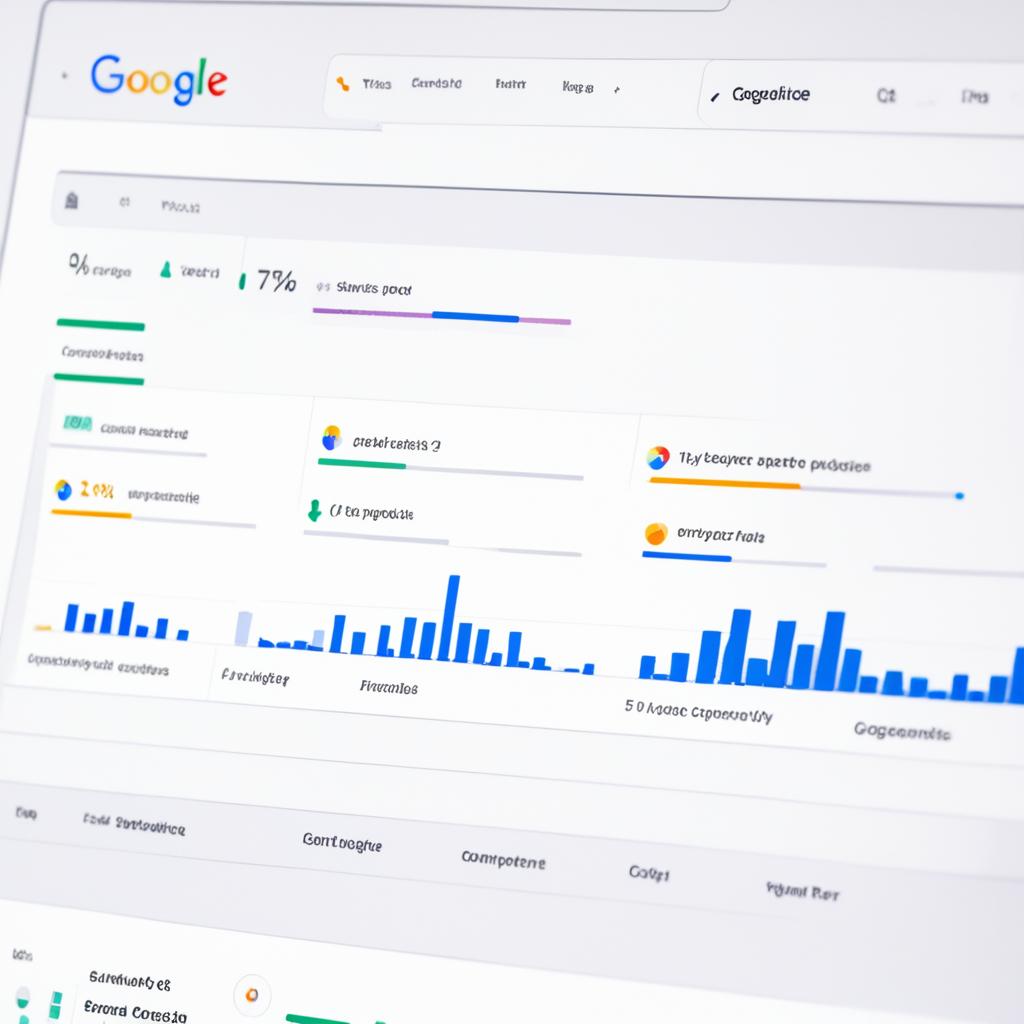
Setting Up Web Search Console for Your Website
Starting your website journey involves a key step: setting up Google Web Search Console. This tool helps track how your site performs in searches. It gives you insights to shape your SEO plans.
Creating a Google Account for Web Search Console Access
First off, you need a Google account specifically for Web Search Console. This account lets you manage and keep an eye on your site. It gives you access to features that boost your site’s visibility in searches.
Verifying Your Website Ownership
Then, you must verify that you own the website. Doing so lets you access detailed stats and analytics about your site. This step makes sure that only you can view important data on how your site is doing.
Selecting a Property Type: Domain vs URL Prefix
Choosing between a domain or URL prefix affects how you see and manage your property in Web Search Console. Let’s look at the differences:
| Property Type | Scope | Setup Complexity |
|---|---|---|
| Domain | Covers all subdomains and protocols | Requires DNS verification |
| URL Prefix | Limited to specific URL and protocol | Simpler, with several verification options |
The domain property covers more ground but is broader. The URL prefix is more focused but easier for certain situations.

When you’re setting up or improving your site in Web Search Console, knowing how to verify ownership is critical. Deciding between a domain or URL prefix helps. These steps not only ease your initial setup but also strengthen your site management and optimization moving forward.
Navigating the Web Search Console Interface
Welcome to the guide on mastering the Web Search Console dashboard. This tool is crucial for webmasters who want to boost their site’s SEO. We’ll go over how to use Search Console features to manage your website better.
Overview of the Dashboard
The Web Search Console dashboard is like your SEO control room. It gives you a quick look at your site’s health and stats. This dashboard helps you see your site’s traffic, indexing status, and more. It’s key for navigating webmaster tools well.
Key Sections You Need to Know
You need to understand different parts of the Web Search Console. Let’s check out some important areas:
- Performance Report: Keeps track of your website’s search traffic. Lets you analyze clicks, views, click-rate, and search rank.
- Index Coverage: Tells you which pages are indexed or not, with details on indexing issues.
- Enhancements: Helps with your site’s user-friendliness. Gives recommendations for improvements.
Let’s take a detailed look at some key elements with a table:
| Feature | Description | Benefits |
|---|---|---|
| Performance | See important metrics like total clicks, views, and search position. | Adjust your content strategy based on how users find you. |
| Index Coverage | Reports on indexed pages and highlights non-indexed page issues. | Maximizes your web pages’ visibility in search results. |
| Enhancements | Points out features that need work for better usability. | Improves how people experience and engage with your site. |

Learning how to navigate the Web Search Console is key for a strong online strategy. Getting to know its features well ensures your site meets and surpasses SEO standards.
Improving Site Visibility with Search Performance Insights
Understanding your website’s valuable data is the first step to maximize its potential. By analyzing search performance metrics and SEO insights, you can boost your site’s visibility. This optimization helps your strategies work better.
Analyzing Search Traffic Data
With advanced traffic analysis tools, you can dive deep into how your website engages different audiences. It reveals not just how many people visit but also how they interact. Knowing the quality and engagement of visitors helps refine marketing efforts.
Identifying Top Performing Keywords and Pages
Learning from your site’s search performance is key to finding top keywords and pages. This knowledge allows you to sharpen your content strategy. It helps focus on areas that make a big difference.

Improving search performance metrics with detailed SEO insights matters a lot. Using traffic analysis tools properly will not only lift your search rankings but enhance your online presence. This strategy ensures your website reaches its best, pulling in more traffic and offering great user experiences.
Utilizing the Index Coverage Report
To manage your website on search engines well, it’s key to know the index coverage report. This tool shows how your pages are indexed. It also points out any issues that might hide your site from view.

Identifying and Fixing Indexing Errors
Indexing errors can slow you down, but with the index coverage report, you can spot and fix them quickly. You might find errors like server issues, wrong redirects, or robots.txt blocks. Each of these can stop search engines from seeing your pages right.
Submitting Sitemaps for Better Indexing
Submitting a sitemap helps search engines find and index your site’s content quicker. When you update your site, you should also update your sitemap. This ensures search engines have the latest view of your website.
| Error Type | Description | Action Required |
|---|---|---|
| Server Error | Server fails to send the requested page | Check server connectivity and stability |
| Redirect Error | Permanent or temporary redirect fails | Cross-verify the target URLs of redirects |
| Blocked by robots.txt | Page blocked from indexing by robots.txt file | Modify robots.txt to allow crawler access |
Enhancing User Experience with Mobile Usability Reports
Nowadays, making your website work well on mobile devices is a must. Mobile usability reports are key for analyzing how easy it is to use your site on phones and tablets. They show where your website falls short on mobile friendliness, underlining the need for versatile design.
Understanding Mobile Usability Issues
Mobile usability reports are important for spotting design and function flaws affecting the mobile user experience. Problems may include text that’s too tiny, links that are too close, and designs that don’t adjust to various screen sizes. Solving these issues is crucial for making your site more accessible on mobile devices.
How to Fix Common Mobile Usability Problems
To improve mobile usability, adopt responsive design. This means making sure your site automatically adjusts to fit the screen it’s viewed on. Use fluid layouts, resizable images, and media queries to make everything look right on any device. Improving mobile usability leads to better user engagement and happiness.
Consider how upgrades in mobile usability can make a difference:
| Improvement Area | Before Optimization | After Optimization |
|---|---|---|
| Page Load Speed | 5 Seconds | 2 Seconds |
| Text Readability | Poor | Excellent |
| Navigation Links | Cramped | Spaced Appropriately |

When you work on these improvements, your site offers a great mobile experience. Responsive design boosts mobile friendliness and is key for a strong online impact. It also helps your website rank better in search results.
Optimizing Page Experience with Core Web Vitals
Improving your website’s performance means mastering Core Web Vitals. These metrics are key to keeping users happy and your site visible in search results.
Understanding LCP, FID, and CLS
Largest Contentful Paint (LCP), First Input Delay (FID), and Cumulative Layout Shift (CLS) are vital to user experience. LCP checks how fast the main content loads. FID measures how quickly a page becomes interactive. CLS ensures the page doesn’t shift unexpectedly.
Improving Core Web Vitals for Better Rankings
To boost your web performance, work on your Core Web Vitals. Start by improving server response times and optimizing images. This enhances LCP.
To better FID, cut down JavaScript execution times. For CLS, make sure to set size attributes for images and embedded content. This prevents shifting.
Working on these areas improves your site’s user experience. It also helps your SEO, leading to more traffic and better metrics.

Identifying and Addressing Security Issues
Enhancing your website’s performance is crucial. Understanding website security issues is equally critical. The Web Search Console provides essential tools for addressing security threats. This ensures safe browsing for everyone. It also protects your search engine ranking.
Google security reports help spot threats like malware and hacking. These incidents can hurt your website’s reputation. Using Google’s tools, you can keep your site secure and strong.
- Security Issues Report: Alerts you about potential threats, like malware and phishing. Check this report often to fix vulnerabilities quickly.
- Safe Browsing: Google’s Safe Browsing warns about unsafe sites. It helps users and webmasters take action.
Quickly responding to alerts helps avoid search engine blacklisting. This keeps your site’s reputation and user trust intact. Here, we detail common website security issues identified by the Web Search Console, and what actions to take:
| Issue Type | Description | Recommended Action |
|---|---|---|
| Malware | Software that tries to access your site without permission. | Apply security patches, update CMS/plugins, and scan for vulnerabilities. |
| Phishing | Tricking users into giving sensitive info via fake sites. | Teach users, use HTTPS, and report phishing scams. |
| Spam | Bad content that messes with search rankings. | Implement CAPTCHA, watch user content, and delete spammy links. |
Watching Google security reports means more than just fixing problems. It’s about preventing them. Stay ahead with monitoring and responding fast to alerts. This approach ensures your site provides a truly safe browsing experience. It builds user trust and strengthens your position in search results.

Understanding and Using the URL Inspection Tool
The URL Inspection Tool in Web Search Console is very useful. It checks if individual URLs on your site are indexed. With this tool, you get insights that help make sure your pages are indexed and search-friendly.
How to Inspect a URL in Web Search Console
To use the URL Inspection Tool, just type the page’s full URL into its search bar. This makes the tool show how Google views and indexes that page. It’s an easy way to see if your page is indexed correctly.
Interpreting the URL Inspection Results
The URL Inspection Tool’s results are important for making your content better online. They give you lots of info about how visible your page is on Google, for example:
- Whether the page is indexed or not.
- Any crawling errors or issues that could keep Google from indexing the page.
- The canonical URL for the page, which can affect how search results are shown.
Understanding these details helps you improve your website’s SEO approach.

Managing Site Links for Clear Navigation
Learning to manage sitelinks in search results can really help your website. These links guide users to key pages and make searches easier. This leads to a better online experience with your brand.
What Are Site Links?
Sitelinks are extra links that show up under your website’s main URL in search results. They point to important parts of your site. This lets users go straight to these parts from the search page. Knowing about these sitelinks is key to making your site easy to access.
How to Influence Site Links Appearance in Search Results
Google decides on sitelinks through its algorithms, but you can affect which ones show up. You can use Search Console tools to promote or demote pages. This helps show what’s most valuable to your visitors. The Search Console also provides feedback on sitelink performance. This feedback can help you make your site navigation even better.
For good sitelinks, keep your site’s layout clear and well-organized. Search engines can then easily find and showcase the right pages. Better sitelinks mean your site will be more visible and engaging. Managing these links well improves how your site performs and is seen in search results.
Monitoring Your Site’s Backlinks Profile
Understanding your site’s backlinks is key to effective link building. By analyzing backlinks, you learn about the external links’ quality. Tools like Google’s Web Search Console offer insights crucial for SEO improvement and authority boost.

External links reports let you see who links to you and their impact on SEO. This lets you focus on high-quality backlinks. It also helps in avoiding links that could damage your site’s reputation.
- Identify new and lost backlinks over time to measure the effectiveness of your link building strategies.
- Analyze the anchor text used in backlinks to ensure it is relevant and beneficial for SEO.
- Assess the geographical sources of your backlinks to optimize your global SEO strategy.
| Backlink Source | Trust Score | Number of Links |
|---|---|---|
| example.com | 95 | 10 |
| greatsite.org | 88 | 8 |
| infohub.net | 78 | 15 |
Regular backlink checks help you refine your strategies. Learning about backlinks dynamics strengthens your SEO. Use tools like Web Search Console to manage your online presence and build a strong link network.
Analyzing International Reach with Performance by Country
When you make your website available worldwide, knowing how to do international SEO is key. Looking at the performance in each country offers insights you can’t ignore. These details are crucial for creating an SEO plan that really works.
Evaluating Your Global Audience
Reports on country performance give clues about user behavior in different places. They show you where your site is popular and where it’s not. This information guides you in making your site more globally friendly.
Optimizing for Different Regions and Languages
Getting your website ready for an international audience is more than just translating words. You need to adapt culturally and make technical SEO tweaks. Tailoring your site for local preferences boosts user experience and engagement.
For example, knowing and using regional keywords is vital. It makes your website more visible and effective in different countries.

| Country | Visits | Page Views | Bounce Rate | Average Time on Page |
|---|---|---|---|---|
| USA | 25,000 | 45,000 | 40% | 3 minutes |
| India | 20,000 | 35,000 | 45% | 2.5 minutes |
| Germany | 15,000 | 20,000 | 35% | 4 minutes |
| Brazil | 18,000 | 25,000 | 50% | 1.5 minutes |
By using the table, you can see how different countries stack up. Then, adjust your SEO plan to get better at reaching people around the world. This helps you see where to focus your efforts for better engagement.
Improving Site Through AMP (Accelerated Mobile Pages)
In today’s world, it’s vital your website loads fast on mobile devices. Accelerated Mobile Pages (AMP) boost your site’s mobile speed. Let’s look at how AMP improves mobile page speed and SEO.
What is AMP and Why Should You Care?
AMP stands for Accelerated Mobile Pages. It’s a project started by Google to speed up the web on mobile. It makes websites simpler, so they load faster on phones. Fast websites make users happy. They also rank better in search results.
Monitoring and Optimizing AMP Content
Using AMP means you need to keep an eye on your site. You have to update it to stay fast and work well on all devices. The Web Search Console is a tool that helps you see how your AMP pages are doing.

Seeing the difference AMP makes can be eye-opening. Here’s a comparison of some key metrics before and after using AMP:
| Metrics | Before AMP | After AMP |
|---|---|---|
| Page Load Time | 5.2 seconds | 2.1 seconds |
| Bounce Rate | 58% | 35% |
| Google Search Ranking | Page 2 | Top 5 Results on Page 1 |
Keep making your AMP pages better. Work on optimizing images and simplifying CSS. Ensure the AMP scripts are few and don’t slow the page. These steps make your site even faster, help users stay longer, and lower bounce rates.
AMP might seem tough at first. But the payoffs in better loading times and SEO are worth it. It boosts user satisfaction on mobile and helps your site’s ranking.
Web Search Console and Its Impact on Your SEO Strategy
Using Web Search Console in your SEO planning boosts your site’s visibility and efficiency. It offers Web Search Console insights to improve how your site connects with search engines and people. This tool greatly affects your online presence.
Web Search Console is great for search data analysis. With its data, you can spot trends, get to know your audience, and shape your SEO strategies. This is key for a strong online presence.

With Web Search Console data, you make choices that follow SEO best practices and meet your audience’s needs. This is key for better site performance and long-term growth.
| Feature | Benefits | SEO Impact |
|---|---|---|
| Search Analytics | Tracks search traffic and performance | Improves keyword targeting and optimization |
| Index Coverage | Identifies and fixes indexing errors | Enhances content discoverability and indexing |
| Mobile Usability | Addresses mobile usability issues | Boosts mobile search rankings and user experience |
| Site Links | Controls site links displayed in search results | Improves navigation and user engagement |
Reviewing these insights helps you boost your site technically and enhance user experience. This SEO planning and Web Search Console insights approach adapts to changing markets and search engines.
So, using search data analysis gives you a competitive edge and digital growth. Structured, data-driven SEO strategies help your site attract more visitors and increase conversions. In the competitive digital world, this ensures your site not only survives but flourishes.
Conclusion
We’ve looked at how important Web Search Console is for making your website better. This tool does more than show your site’s health. Think of it as a guide for being successful in SEO. With it, you can see what’s working and what needs work on your site.
Using the Web Search Console is a must-do, as online trends and search algorithms always change. By keeping up with Web Search Console, you make sure your site adapts well. This means better performance and happier visitors.
Your journey to make your web better doesn’t stop. Web Search Console is a powerful ally in this mission. It’s key for anyone wanting to have a strong online presence. Now is the best time to start using these strategies. Aim for continual improvement and watch your site grow.
Leave a Reply
You must be logged in to post a comment.