

If you find yourself deep in web browsing problems, running into HTTP error codes is likely. Code 305 is one of these errors. It tells the client to use a proxy to finish its request. Understanding and fixing HTTP 305 can make your day better. This error is crucial for both users and website managers. It helps keep the internet running smoothly and without breaks.
Key Takeaways
- Identify Code 305 and its role in the intricate web of HTTP error codes.
- Learn the importance of resolving HTTP 305 errors to enhance your web experience.
- Grasp solid troubleshooting approaches to fix proxy issues tied to Code 305.
- Understand the significance of server directives forcing proxy use for accessing content.
- Gain insights into effective web browsing troubleshooting when facing HTTP hurdles.
What Is HTTP Status Code 305?
In web development and browsing, knowing HTTP status codes is key. The 305 Use Proxy status is one to learn. It’s important for smooth client-server communication.
This code tells a client to use a proxy server to get a certain resource. It’s based on server settings that require a proxy for access. These settings often come from the need for secure and efficient traffic management.
The word to remember here is “proxy.” A server’s response will show the proxy’s URL. The client needs to direct their request through this proxy. This process helps in following set paths for data, enhancing performance or security.
| HTTP Status Code | Explanation | Client Action |
|---|---|---|
| 305 | Use Proxy | Redirect request through proxy specified in the location field. |
Developers and network admins must understand this code to set up clients correctly. It also helps users know why accessing services might change.

Exploring the Use Proxy Directive in Code 305
When a server uses a 305 redirect, it tells your browser to use a proxy server. This isn’t just about sending traffic another way. It’s about setting up proxies to follow the server’s rules carefully. Let’s look into why this happens and the part proxies play.
Understanding the Proxy Requirement
Servers might use a 305 redirect to follow network rules or handle internet traffic better. Proxy servers stand in the middle. They offer extra caching, control website access, and keep an eye on internet use for security checks. These are key for managing internet at an organizational or ISP level.
How Proxies Work with HTTP Requests
When you hit a proxy directive with a 305 status code, your request goes through a specified proxy. This server then sends your request on to the destination. Setting up proxies right is vital for handling these requests without a hitch.

| Feature | Role in HTTP Requests | Importance in 305 Redirection |
|---|---|---|
| Location Header | Directs the new request URI | Specifies the proxy server |
| Caching | Stores copies of responses | Reduces load time and server hits post-redirection |
| Access Control | Restricts or allows content delivery | Enforces security policies during redirection |
| Logging | Records of data requests and responses | Ensures accountability and auditability in proxy use |
This shows how important it is to set up proxies correctly with a 305 redirect. Understanding this helps us use these tools better in our networks or software.
Common Scenarios Leading to Code 305
If you get a Code 305 Use Proxy status, it’s key to find out why quickly. This status happens for various reasons, often tied to how the server or network is set up. Knowing these reasons helps you fix the error better.
Several common issues can cause this HTTP response. They mainly stem from server settings or specific network rules in a company.
- Misconfigured server settings that incorrectly require proxy usage
- Corporate network policies enforcing all traffic through a proxy
- Outdated or incorrect entries in the server’s proxy configuration settings
We need to check out these factors since they decide if your server will show a 305 status to the user. Let’s look more closely at these causes and their effects on your network or server.
| Error Cause | Description | Impact on Server/Network |
|---|---|---|
| Misconfigured Server Settings | Settings on the server that unnecessarily direct traffic to use a proxy. | May lead to unnecessary redirections, causing delays or access issues. |
| Corporate Network Policies | Internal policies mandating proxy use for security or monitoring. | Increases control but may restrict direct server access resulting in 305 codes. |
| Incorrect Proxy Configuration | Proxy settings that are outdated or improperly set. | Can cause repeated erroneous 305 responses, affecting user connectivity. |
By understanding these network and server setup issues, you can better approach HTTP 305 problems. This means smoother, direct server contact with fewer proxy detours.

How Code 305 Affects User Experience
When you see HTTP error Code 305, it means you must go through a proxy to get what you want. This can make browsing harder by adding extra steps. This article looks at what that means for accessing sites and how to deal with proxy issues.
The Impact on Website Accessibility
HTTP error impact can really stand in the way, especially if you’re not tech-savvy. You might hit a snag if you have to set up or use a proxy. This could lead to getting lost or annoyed. Such roadblocks can push users away, limiting access to web content, especially for those needing easy entry for info or services.
Navigating Proxy Challenges for Users
Overcoming proxy hurdles means knowing a few key moves to keep your browsing smooth. Being able to quickly spot and set up the right proxy settings is critical. Here’s a simple guide for dealing with these detours:
- Finding the Correct Proxy: Make sure the proxy server address is right and you can get to it. You may need to chat with your network admin to check or refresh proxy details.
- Altering Network Settings: Changing your device’s network settings might sidestep proxy bumps in the road.
- Understanding Proxy Requirements: Learning why some proxies are needed can help you move through them easier. It makes dealing with these rules a bit less of a headache.
Tackling these points can help fix some of the problems caused by HTTP error impact. This can improve how you interact with websites.

Differences Between Code 305 and Other Redirect Codes
Understanding HTTP redirect codes like 305, 302, and 307 is key in web development. These codes help in redirecting users from one page to another. Knowing their specific uses ensures sites work well and follow HTTP rules about method preservation during redirects.
Code 305 vs Code 302: Temporary Redirects
HTTP Status Code 302 tells the client to move temporarily to a new URL. It’s different from Code 305 because you don’t need a proxy with 302. Code 302 is useful when a webpage has moved for a short time. But, it might not keep the HTTP method (like GET or POST) the same, which could impact the request’s result.
Code 305 vs Code 307: Temporary Redirects with Method Preservation
Unlike Code 302, Code 307 keeps the original request method the same when redirecting. This approach prevents changing from, say, a POST to a GET request. It’s like Code 305 but focuses on keeping the method used in the request constant. Ensuring the request acts the same way before and after redirection is very important.
Knowing how these HTTP redirect codes work makes web apps better and more user-friendly. The choice of redirect code greatly affects how a site functions and feels to the user. So, picking the right code is crucial depending on what you need for your site.

Troubleshooting Code 305 Error Messages
If you’re running into HTTP 305 errors, it’s key to know how to fix them. We’ll guide you on how to handle these errors for smooth network use.
- Verify proxy configuration: Ensure that the proxy settings are correctly configured in your network. Incorrect settings can often trigger a Code 305 error.
- Check the URL: Sometimes, the resource you are trying to access explicitly requires a proxy to be accessed correctly.
- Contact technical support for HTTP 305: If the issue persists, reaching out for expert help can guide you through more advanced troubleshooting steps.
Here are some ways to dig into error message problems:
- Network Diagnostics Tools: Use tools like ‘Traceroute’ or ‘Ping’ to check server response times.
- Log Analysis: Look into server and proxy logs for any incorrect requests causing the issue.
- Consult Documentation: Check the server’s guide for any specific rules that might be causing the error.
| Error Type | Possible Cause | Suggested Action |
|---|---|---|
| HTTP 305 Error | Proxy Misconfiguration | Verify and correct proxy settings |
| HTTP 305 Error | Server-Side Restriction | Review server configuration and documentation |
| HTTP 305 Error | Network Issues | Run network diagnostics |

Fixing Code 305 errors means understanding your network and getting the right help. Remember, finding and fixing these errors usually involves eliminating possible causes. Thorough checking is your best friend here.
Server Configuration and Code 305 Responses
Being a server admin means you need to be sharp in setting up your servers. This includes knowing all about proxy servers to dodge 305 errors. Here, we’ll go through making your server work smooth and keeping those 305 errors at bay.
Setting Up Proxy Servers
Creating a proxy server setup is not just about inputting data. It’s about matching your network’s needs and tackling Code 305 errors head-on. Consider these:
- Pick a proxy that fits your network’s size and usage.
- Add strong security to protect data on the proxy.
- Keep proxy settings updated to prevent frequent 305 errors.
Configuring Your Server to Avoid Unnecessary 305 Responses
To cut down on 305 errors, fine-tuning your server is key. Make proxy usage helpful, not a headache. Try these steps:
- Check and adjust server settings to avoid proxy redirections when not needed.
- Apply updates and patches for a smoother server, which lowers 305 errors.
- Do regular check-ups on server operations to fix settings that may cause 305 errors.
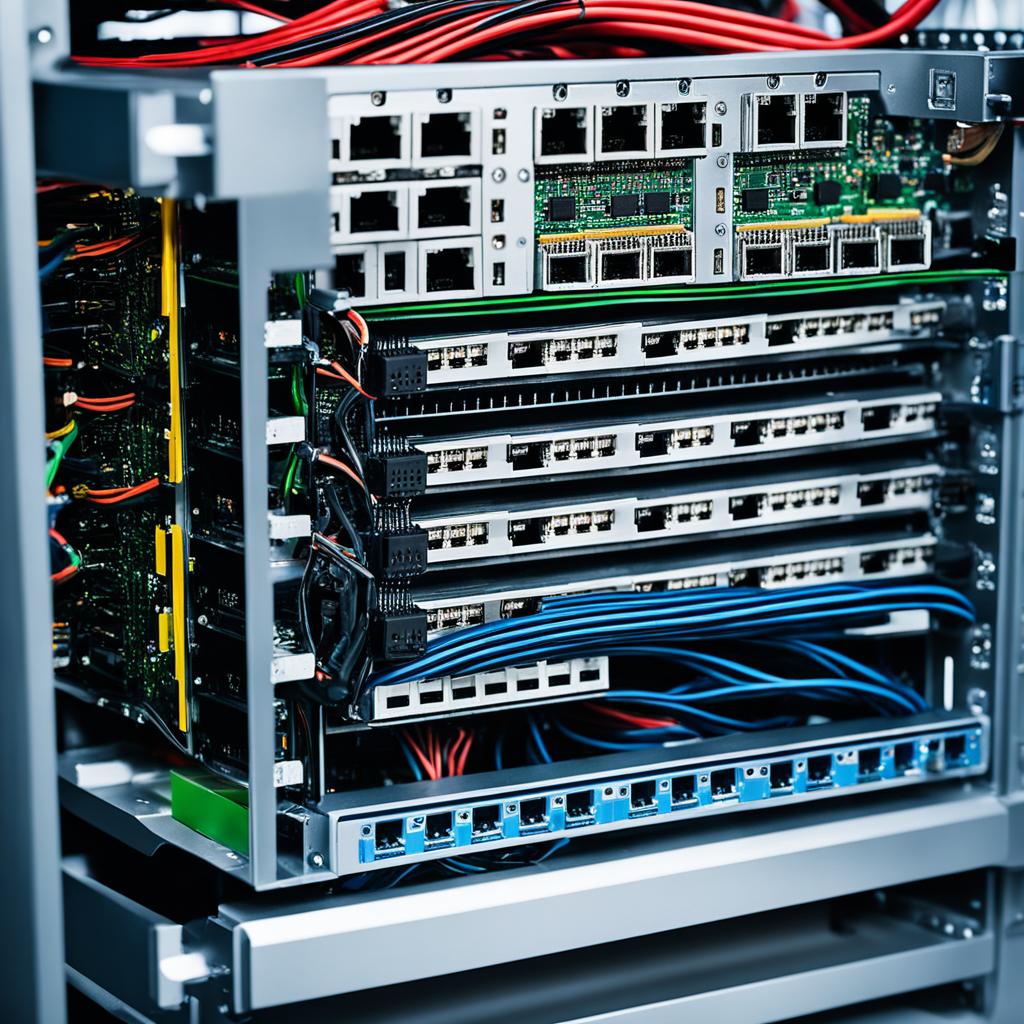
Efficient server management and proactive administration are your best tools against unwanted 305 errors. By carefully setting up and managing your proxy servers, you make your network solid. You’ll be ready for anything, with better performance all around.
Code 305 and Security Considerations
Handling HTTP 305 means we must look at web security and proxy servers closely. Keeping a secure proxy setup is vital for data safety and secrecy. Let’s discuss the dangers of proxy servers and how to use them safely.
The Risks Involved with Proxy Servers
Proxy servers stand between you and the sites you visit. This position brings several dangers:
- Data interception: All data going through the proxy could be grabbed, exposing sensitive info.
- Misconfiguration threats: A wrongly set up proxy could leave your system open to attacks.
- Shared usage concerns: Using shared proxies can up the chance of harmful activities if not overseen correctly.

Best Practices for Secure Proxy Usage
To avoid risks with proxy servers, especially with HTTP 305, safe practices are a must. Here are key steps for better security:
- Always use authenticated and encrypted connections to keep your data safe and private.
- Keep your proxy server software up to date to fight off new vulnerabilities.
- Regularly check your proxy’s activity for strange signs that could mean a security issue.
Knowing the risks with proxies and taking strict security steps can safeguard your systems. Even with the web’s complex security worries, you can stay protected.
Optimizing Website Performance Despite Code 305 Issues
When you run into HTTP 305 errors, your goal is keeping your site fast and easy for users. Tackling these errors the right way can cut down on them. This means your users have a better time on your site. Here, we’ll show you how to keep things going smoothly, despite proxy-related issues.

To start, it helps to know what Code 305 errors are about. They happen when your site tells a user’s browser to get a page via a proxy. This is mostly an issue for the server. But, there are things you can do to make access and speed better, from both the backend and frontend.
- Monitor and Audit Proxies Regularly: Checking proxies often makes sure you’re only using what you need. Good setup reduces delays and HTTP errors.
- Optimize Server Response Times: Better hardware, software, and database queries make your server faster. This helps with requests, including those through a proxy.
- Utilize Efficient Caching Strategies: Good caching lowers load times and server requests. It’s very useful when proxies might slow things down.
Let’s compare a few optimization tactics and their effects on web speed during HTTP 305 errors:
| Optimization Technique | Benefit | Impact on User Access |
|---|---|---|
| Proxy Server Configuration | Reduces unnecessary rerouting | Enhances speed of content delivery |
| Server Hardware Upgrades | Handles more requests simultaneously | Improves response time and availability |
| Advanced Caching Mechanisms | Decreases load times significantly | Facilitates smoother and faster user access |
Using these strategies can keep your site working well, even with Code 305 proxy errors. The aim is having a fast, user-friendly site despite these challenges. With smart web performance optimization, you can achieve this.
Analyzing Code 305’s Impact on SEO
In the SEO world, how you handle HTTP 305 redirects matters a lot. Knowing the SEO effects and how to keep your rankings, despite HTTP 305 redirects, is vital. It helps keep your site visible and performing well.
How Search Engines Handle HTTP 305 Redirects
Search engines react differently to HTTP 305 redirects. A 305 tells the client to use a proxy. This isn’t common for crawlers. This could confuse search engines as they prefer direct redirects. For SEO, indexing delays or misses could happen, depending on the crawler’s response.
Strategies to Maintain SEO Rankings with Code 305
To deal with HTTP 305 redirects and keep rankings, you need a good plan. Make sure the content through these redirects is still reachable and relevant. Also, update your linking and redirect strategies to limit SEO impact.
| Strategy | Description | Benefit |
|---|---|---|
| Monitor and audit redirects | Regularly check if the HTTP 305 redirects are properly implemented and direct to relevant proxies. | Prevents the loss of traffic due to problematic redirects and ensures content accessibility. |
| Communicate with search engines | Utilize tools like Google Search Console to inform search engines about the nature of your redirects. | Helps search engines understand and process your redirects more efficiently, preserving SEO integrity. |
| Optimize proxy server responses | Ensure that the proxy server handling the HTTP 305 redirects is fast and properly configured to handle requests. | Enhances user experience and reduces the risk of search engines penalizing your site for slow responses. |
Understanding how search engines process HTTP 305 redirects and using specific strategies can protect your SEO rankings. This is crucial when facing these HTTP response types.
Step-by-Step Guide to Resolve Code 305
Having a HTTP 305 error pop up can be annoying. But fixing it is easier than you think. Whether you deal with websites a lot or just use the web, this easy guide will help you. You’ll learn to find out what causes a 305 error and how to fix it.
Diagnosing the Cause of HTTP 305 Error
First, let’s find out why you’re seeing a HTTP 305 error. It usually means your browser needs to use a certain proxy to get to a website. But sometimes, that proxy doesn’t work anymore. Here’s what you should do first:
- Look at the website’s address for mistakes or old links. These might have moved to another place.
- See if your internet settings show the right proxy address. It should match what’s needed.
- Make sure the server’s proxy settings are correct and updated.
Knowing why the error happens is key to fixing it for good.
Implementing Solutions for Code 305
After you know the cause, fixing the HTTP 305 error is the next step. Here’s a smart way to approach it:
- Change your browser or system’s proxy settings if they’re outdated.
- If you don’t need a proxy, just remove it. Or use another network without proxy restrictions.
- If changing settings isn’t allowed for you, talk to the network admin for help.
Following these steps will help make your online time smoother. You won’t face those annoying proxy problems anymore.

By using this guide and taking the right steps, dealing with HTTP 305 errors becomes easy. Keep at it and don’t skip any steps for the best results. Solving technical problems takes a bit of patience and detail.
Advanced Tips for Developers Dealing with Code 305
If you’re aiming to get better at working with HTTP responses, dealing with Code 305 can be tough. Learning a few expert tips can really help. Adding these Tips for web developers to your know-how improves your problem-solving skills. It also makes the experiences you create better for users. Let’s look into advanced ways to handle HTTP responses and use Code 305 solutions well.

Web developers can shine by handling server responses well. To improve HTTP response handling, try these ideas:
- Look closely at your network’s setup to see if you really need a proxy, or if you can skip it sometimes.
- Use strong logging to track what leads to a Code 305 response, helping you find and fix unexpected issues.
- Always test configuration changes in a safe setup before applying them live. This prevents problems with updates.
Here’s how to get better with Code 305 advanced solutions:
- Use automated scripts to keep an eye on proxy performance, adjusting settings as needed based on set rules.
- Try advanced debugging tools made for looking at HTTP traffic. This helps understand how data moves and affects responses.
- Work with network admins to make sure all proxy settings are best for both performance and security.
| Strategy | Description | Benefits |
|---|---|---|
| Proxy Performance Monitoring | Automated tools monitor and adjust proxy settings in real-time. | Makes responses faster and reduces downtime. |
| HTTP Traffic Debugging Tools | Tools that check HTTP requests and responses for problems. | Helps you understand traffic and server replies better. |
| Collaboration with Network Admins | Setting reviews and adjustments with admins regularly. | Makes sure network setups meet your organization’s goals. |
By using these Tips for web developers, you won’t just handle Code 305 errors better. You’ll also help make the web apps you work on more stable and reliable. Remember, the aim is to fix issues before they affect users, not just after.
Conclusion
We’ve come to the end of our journey through HTTP Status Code 305. We hope you now understand how it makes web browsing better. It’s not just a small issue. It tells us to use proxy servers for a safer, faster internet.
Dealing with proxy redirections is key for smooth web use. It makes sure users have a good experience and keeps web talks secure. By following what we talked about, you can handle HTTP 305 well. This supports strong web site management.
Remember, the web keeps changing, and knowing a lot helps in facing problems like Code 305. Think about always learning and adjusting to web rules. This makes sure our online paths are easy to follow. Keep these ideas in mind as you move forward, ready for Code 305 or any internet challenge.
Leave a Reply
You must be logged in to post a comment.